How To Emulate Oil Painting With Your Computer
-By Serge Birault
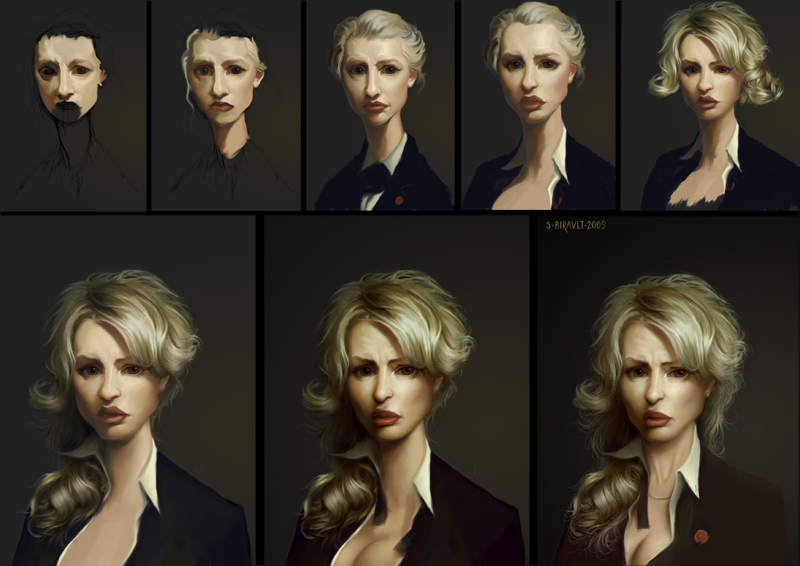
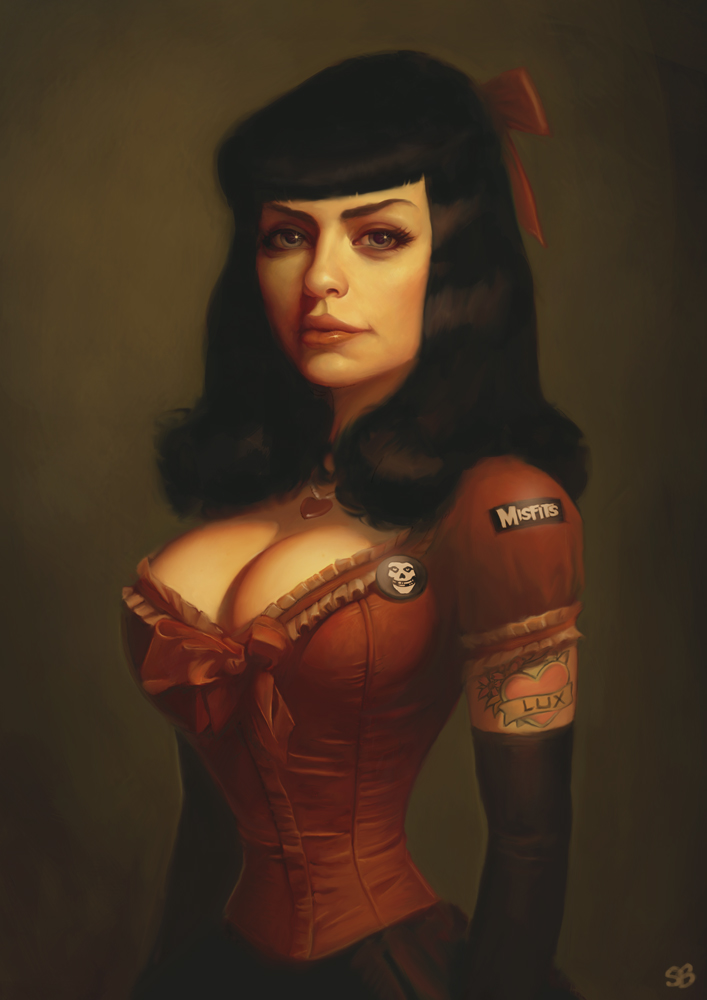
I just finished my own version of the autoportrait of Léon Bonnat. I like this kind of exercice. I already did parodies of classical paintings. I like this, it’s very fun to do and I learned a lot.
My usual style is very “clean,” I try to be very precise and I only use one brush, the soft round brush.
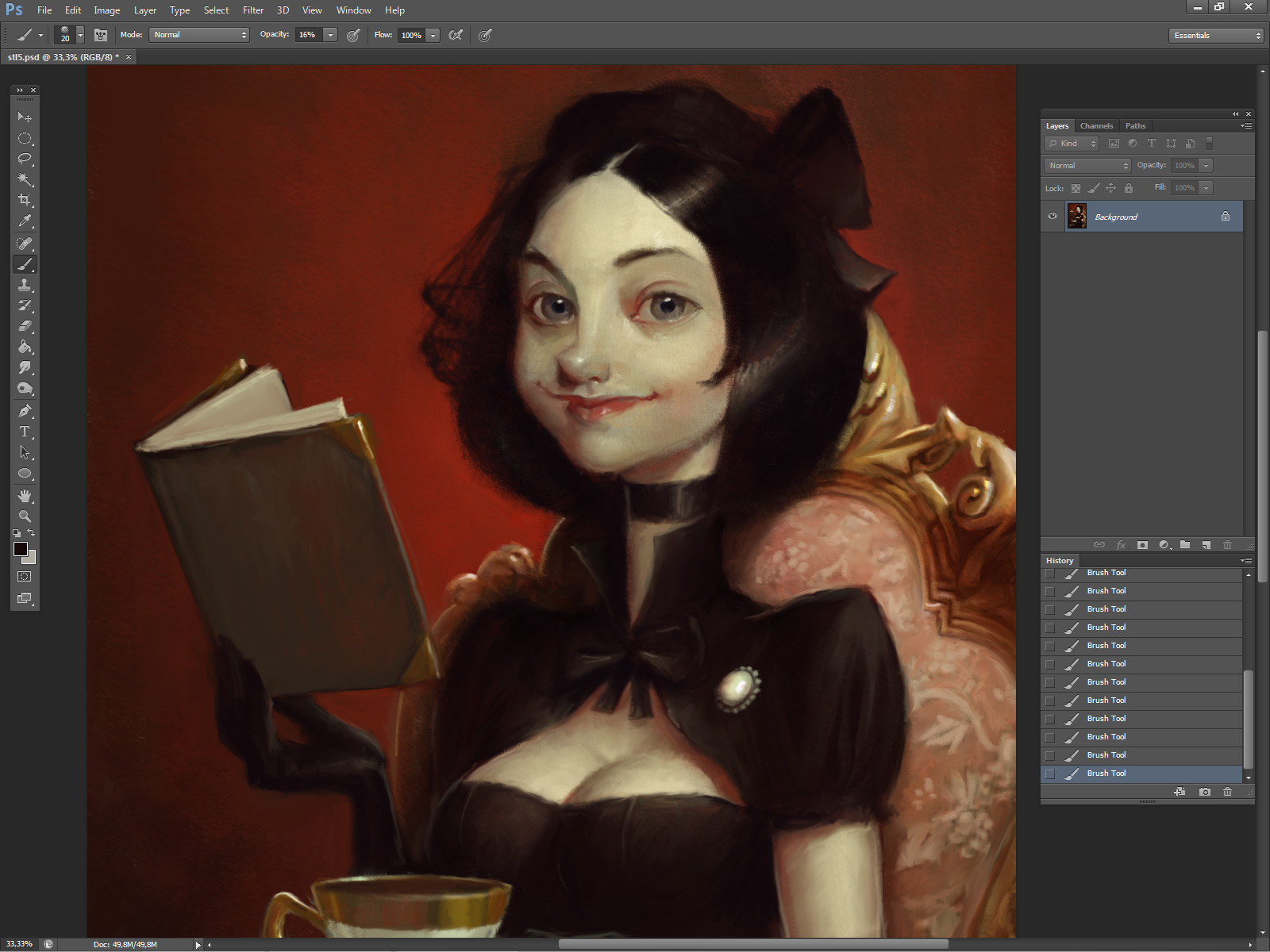
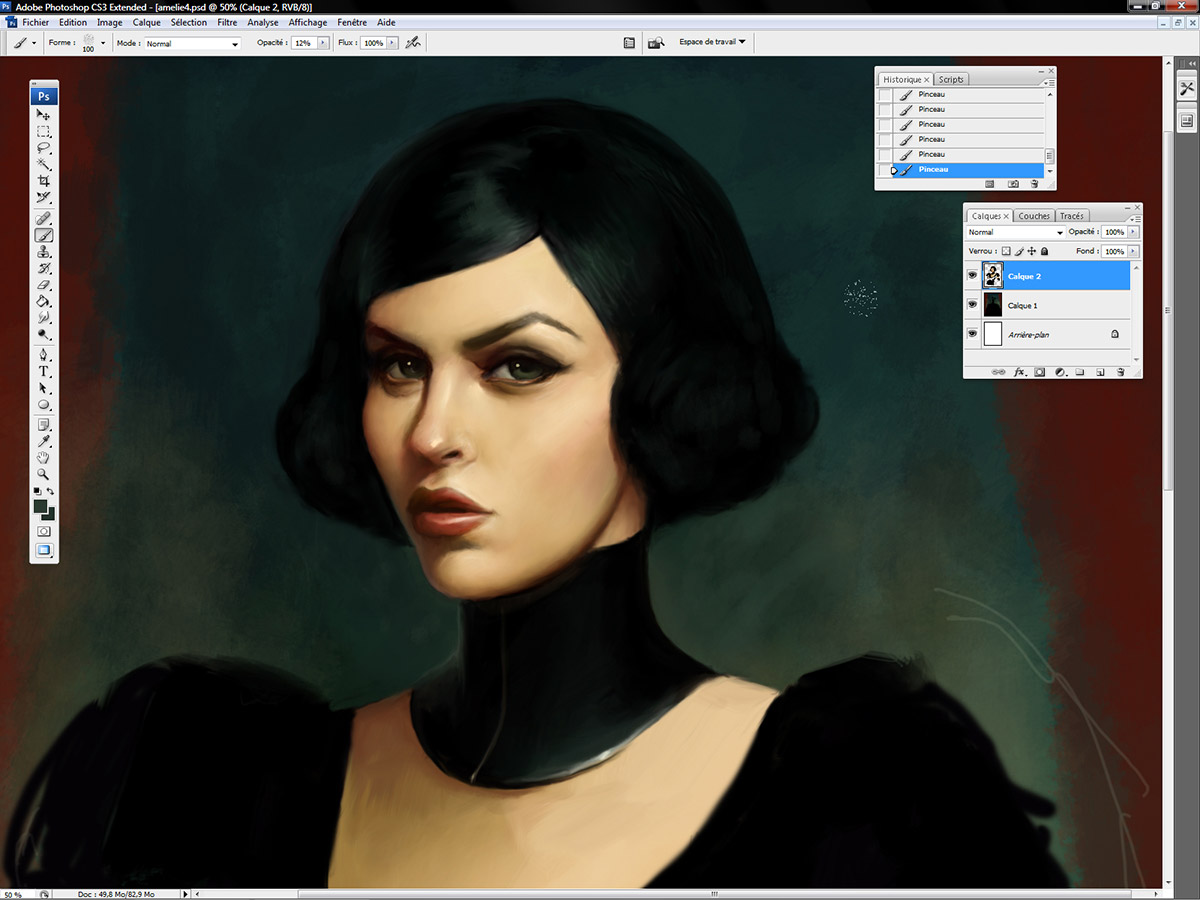
This time, it was quite the opposite. I tried nearly all the standard brushes of PS. The goal was to emulate classical oil painting so I had to find a new way to work.
When I say “emulate classical oil painting”, it’s a little bit stupid. There are so many styles, so many techniques, so many different brush strokes …. But I think you know what I mean. I just tried to use more textured brushes to be close of the oil painting rendering.
There’s no magic trick but I can give you some advices:
1. Find Some Good Reference:
You can easily find pictures of classical oil paintings in high resolution on the internet, Art Renewal Center for example. Then spend time to analyse your reference. Each painter had his own technique. Take your time before starting to paint.
Beware the colors and the tones. Don’t use the eyedropper tool. Just try to understand why the painter added olive green on the shadow or red on the top of the nose.
2. Choose Your Weapons:
I use PS but, of course, you can do the same with Painter, Artrage, The Gimp, … I’m too lazy to customize my own brushes. Actually, you don’t need to do that, try all the basic brushes you can find.
If it’s not enough, Jan Ditlev Christensen did several packs of brushes, you can freely download (for PS) :
3. Find Your Own Process:
You work with a computer so don’t forget you can do mistakes, you can change your mind, you can try different ways … Once again, be patient.
Few years ago, I did a funny version of the autoportrait of William Bouguereau. The process was very chaotic. I added the texture at the end.
You can start with a very clean picture then add the texture at the end if you want, or work with low opacity brushes. You can create a lot of adjustment layers or playing with all the adjustment tools. Experiment !
4. Find Your Own Style
It’s more funny if you mix different things. You can try to do a cartoon face with an oil painting rendering for example.
5. Forget What You Know About Lights:
Sky light or candel light only! Avoid rim lights or too bright of lights.
6. Forget What You Know About “Levels”
It’s a kind of sickness for digital painters. They’re all obsessed by “levels”. If you want to emulate classical oil painting, don’t use pure black, don’t use pure white, don’t try to have perfect contrast. Try the opposite : do mistakes, add imperfections.
7. Add Texture:
You can easily find canevas texture on the internet. Just put it in an “overlay” layer and decrease the opacity. You can add some scratch marks too or cracks in the paint.
8.Try To Paint With Oil For Real:
Best advice I can give 🙂








Really useful tutorial 😉
Last advice about texture is crucial. In Artrage and/or Painter you can import texture paper. I recommend making your own texture. I do this by just crumpling some paper and scanning it into my computer and adjusting opacity and whatnot depending on.
Learning about types and behavior of brushes is important.
I like to use a knife in Artrage with a pad.
Try oil painting for real. Learn that in real world paint gets built-up on the canvas and can give you depth. I think I used to emulate this by bring it into Photoshop and making adjustments to give it depth.
Emulating anything in digital arena is experimentation. Have fun.
I used to sample colors from real photos in the fall and winter in Artrage. This isn’t a requirement by it is fun. Limit your color palette when you start like a real artists did when they had to make paint by hand.
Good luck.
of course! thank you for sharing your knowledge
Yep, that is so!
I've been looking to dive more deeply into the digital oil pond. This post helps. Actually, it is great advice for traditional _and_ digital painters. Great example images, too. Well done.
Good tip the “avoiding rim lights” I tend to overuse those and my illustrations look like anything but real media.
Nice article Serge!
Dan
very useful , thank you
“8- Try to Paint With Oil For Real”
Best advice ever- The main problem I see with students learning to paint digitally is that they don't know how to paint traditionally. If you don't understand the process of creating a picture and the principles of art that contribute to a good picture (value, color, contrast, edges texture, etc.) then all the digital trickery in the world won't add up to a successful piece. I had a good grasp on traditional mediums long before I tried to learn how to paint in Photoshop. I try to approach digital painting very much like I do hand mediums and the results are very much like my paintings. Oh, and for crying out loud, DRAW! Drawing is the basis for all good pictures, Don't cut and paste photos and then manipulate and paint over them. Drawing is where the magic happens.
I agree. A lot of my stidents have very poor drawing skills. They all want to do “speed paintings”, because they think it's easier and quicker. I try to convince them to know their basics first … It doesn't work very often >_>'
newtonit.co.uk provides IT, server disaster and business continuity recovery. All sorts of services like online data backup, system recovery, server replication, IP surveillance, CCTV, remote IT and helpdesk support are available. http://www.newtonit.co.uk
Best
oil painting pictures .They look so natural.
Our Exchange Server Support Team provides emergency support and assistance. Our Exchange Server experts can log
on remotely to diagnose and fix just about any problem you may be experiencing, 24×7. Today’s advanced remote
desktop tools, which are included with Microsoft Windows Server OS, allow us to rapidly support Microsoft Exchange
just as if we were at your place of business.
Emergency Exchange Support
Emergency Exchange Remote Support
I was wondering what is really on this picture, good things that it is discuss below the picture. Now I know what is the painting all about. Thanks for sharing.
Caterpillar bogota
Yes your are wright and thanks for post a good topic . your post is
top most in realated post of
Great,You people had the excellent painting talent.
fine art photography for sale.
Managed Services
LG Networks specializes in IT Consulting, providing business Computer Support and Network Services in Dallas, Garland, Plano, Richardson, Addison, Irving and for more information then visit: http://www.lgnetworksinc.com or call now: 972-528-6546
Hey you've got some serious talent! Thanks for sharing!
Pogo game is very popular today.Pogo online games help provider service.
Pogo Help
I wish you a real estate agent in your home listed in your area, before one or more buyers home or place of business for sale “My advice is to try owner Passbeemedia
This is truly cool! Go into Oil Painting
This is truly a great read for me. I have bookmarked it and I am looking forward to reading new articles.
Computer Repair Sarasota
What font are you using? I love it. Keep up the good work.
Amela
IT support Bedford
PPC Promotion and marketing is very important to get the business for professional company especially for Tech Support & web design company.
Google Adwords For Tech Support
PPC Expert For Tech Support
Inbound Technical Support call | Call at: +91 981-142-0083 | inbound calls for tech support tech support inbound calls A great online marketing company for tech support inbound calls, Inbound Technical Support call by osiel web
Ooh, this was a good tip for me.
Nice post!! Thanks for sharing.
Dermology anti aging Serum
dermology anti aging cream
dermology anti aging cream
Dermology
Xtreme No
Xtremeno
hgh energizer
A debt of gratitude is in order for a great offer. Your article has demonstrated your diligent work and encounter you have in this field. Splendid .i adore it perusing. http://www.ansonpc.com
I want plenty of articles and blogs please upload shortly. best wordpress themes
I'm late to comment, but thanks for the advice! Oil painting gives me migraines, but I still love the texture of it, so I'm going to start simulating it digitally! It may not be as good, but sometimes you need to switch!:)
Nice tips and tricks. Really informative. Thanks for sharing your knowledge and experience
A wonderful post. Thanks for sharing
Very good tutorial. And the last advice is probably the best but oil needs so much time and and a good room – you should find a solution against spam on this site.
Recently someone sold me their Wacom tablet. I never done much digital art, so I’m currently in the learning curve situation. So far it’s mostly about accepting how the program’s brush effect work’s. In rl, I can see how much paint is on my brush and its viscosity, notcso much in digital (yet).
Very good painting (and tutorial as well)!
The links to the brushes don’t work though…
good
Very Interesting. Thanks.
Did you know the work of Carlos Puerta, an spanish cartonist doing comics for France? He is an old fashioned artist drawing and painting, but the color is all done by computer… Look for it.
Amazing tips for digital artists wanting that rich oil-painting feel.