

A while back, I talked about customizing a mahl stick to better suit my needs. Today, I’d like to talk about how I customized my Wacom Tablet.
A few years ago, I visited Blue Sky Studios, where my friend Jordu Schell was giving a sculpture demo. While there, I saw that the artists in the Sculpture department were working on Wacom Cintiqs, which were mounted onto swivel arms. This allowed the Artists to move the tablet into their laps and adjust its angle easily into the most comfortable position. I made particular note of this, because I had been suffering from repetitive wrist injuries whenever I worked too long at my computer.
There are a lot of professional options for mounting your tablet, but most are pretty expensive, and don’t always lend themselves to easily removing the tablet should you take it on the go often. Instead of spending $260 on my ages old Intuos 2, I decided to find a cheaper alternative.
I visited my local Wal-Mart, and purchased this TV Mount. All I really had to do was turn it sideways and screw it into my computer desk.
Not wanting to screw into or permanently glue my tablet to the mount, I had initially intended to make some sort of mounting board with brackets that would hold the tablet into place, and still permit me to easily remove it. But the more I thought about it, the more I realized, simplicity is usually best. Instead, I simply used industrial strength Velcro to hold the tablet to the swivel mount. Industrial StrengthVelcro can hold a LOT of weight, yet comes off easily enough to take my tablet with me without the use of tools.
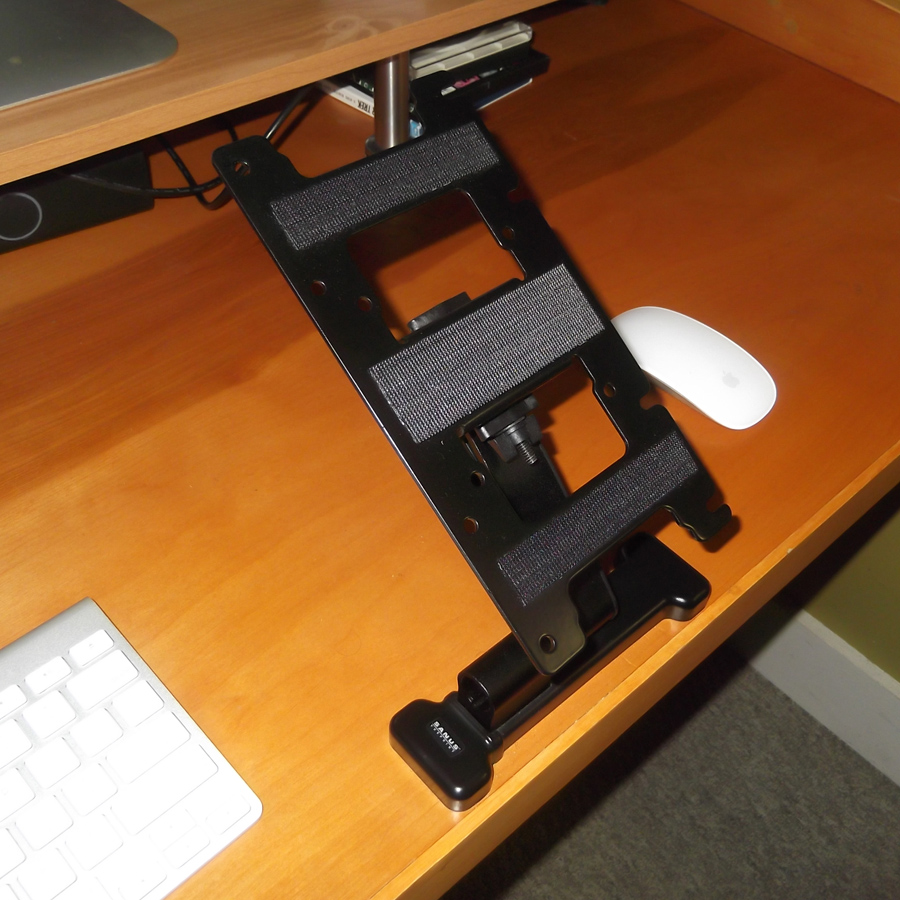
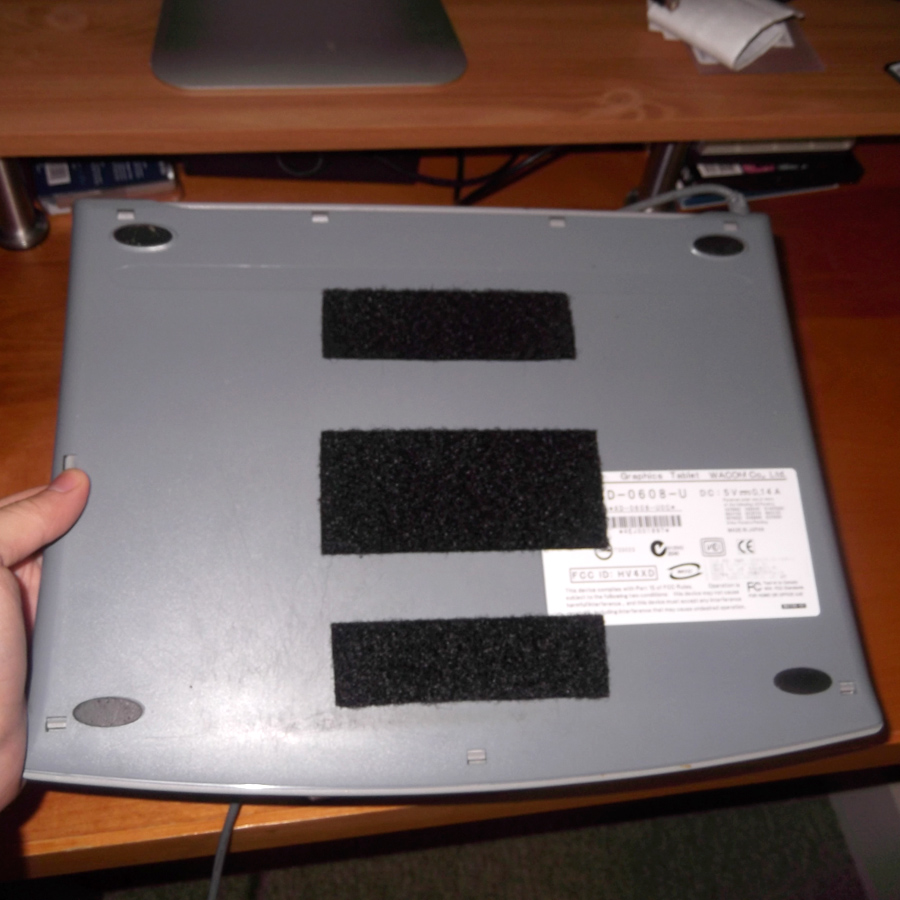
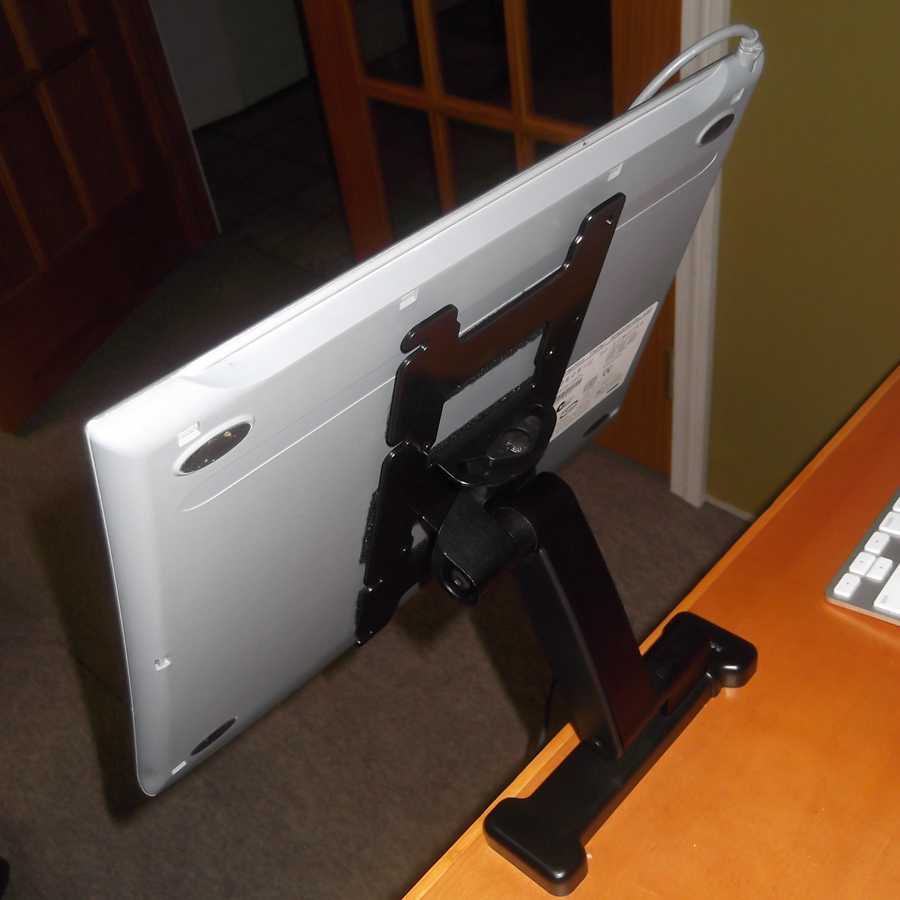
The swivel arm allows me to angle my tablet up and down, in and out, as well as slightly tilting it side to side. This means I can get into the position I find most comfortable at any particular moment. It also works great for people who convert their stations from standing to sitting, since the arm can go up and down a good amount.
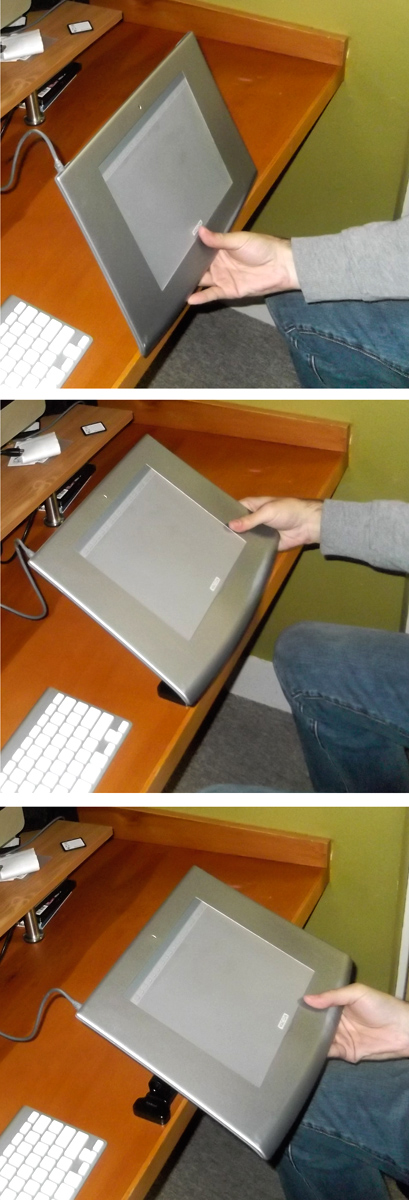
I happened to buy the mount I did because it was the best option the store had in stock. But there are cheaper options available for those that are willing to order online. There are also slightly more expensive options with all sorts of features, like one that will allow you to swivel your tablet 360°, making those natural curves really easy to achieve! Shop around, and find what works best for you.
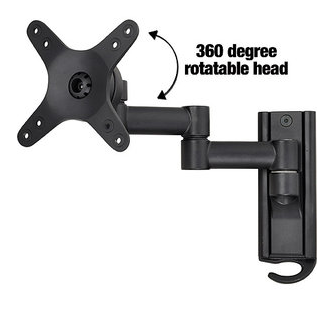
When all is said and done, you can have a great swing arm system for under $40. A small price to pay when you consider the relief it will bring your poor wrist!





what a great idea! cheers.
Pretty neat setup!
Jeff
Cool idea and very cost-effective. Personally I like it fine flat on my desk, with the keyboard behind it. Sure, one arm is always extended while the other not, but no pain to speak of. Yet.
Brilliant! thanks for the tip.
I recently bought a Dekorima portable table easel (the one like a kind of wooden suitcase with the built-in drawer) and I have it on my desktop next to my iMac. Beyond using it for smaller paintings, I find I can also rest either the Wacom or the iPad in it – it's a very handy solution!
Your solution looks great, though… I'm going to check around and see what I can find. My desk is glass, though, so any swivel mount would have to be clamp-on. Thanks!
Thanks for sharing!
Only yesterday I was thinking I could do something similar to my wooden or glass palette 😉
Yep, this is a great solution. It's interesting to see how professional artists cope with some of the physical issues that come with the job.
thanks!
ah, cool. i've been trying to find a larger one for a 40″+ display just for references. time to dig back into this project.
Great idea!
Awesome – thanks for posting! The pictures really help 🙂
Pure genius, Dan.
I do want to try this (thanks for the tip!), however after I checked the Canadian Walmart online, the wall mounts available up here just don't cut it. I do see a trip across the border in the near future just to pick up the wall mount you suggested. Also an hour at Dick Blick's would be fun too!
Hey Dan,
Thanks for posting this!
Do you think something like this would work with the Intuos4 XL — that's what I have and it's lovingly called the desk destroyer. Been looking for something to serve as a holster when not being used and a tilt-friendly device as well. Thoughts?